Old computers may look like outdated plastic and tangled wire, but their internal components contain valuable materials.
Circuit boards, processors, connectors, memory modules, cables, and expansion cards can include:
- Gold-plated electrical contacts
- Copper wiring and circuit traces
- Aluminum heat sinks
- Steel cases
- Silver and palladium in small quantities
- Reusable processors, memory, drives, and fans
The Environmental Protection Agency confirms that electronics contain recoverable materials such as gold, copper, glass, and aluminum. Responsible recycling allows these resources to return to the supply chain rather than being lost through improper disposal. (US EPA)
That does not mean one discarded computer is a hidden gold bar.
The precious-metal coatings used in electronics are extremely thin. Industrial recovery becomes practical by processing large, carefully sorted volumes—not by dissolving several memory modules in chemicals behind a house.
For most households, the safest and most profitable strategy is:
Reuse working equipment, sell desirable components, sort the remaining scrap, and send it to a qualified electronics recycler or precious-metal refiner.
Why We Are Not Reproducing the Acid Method
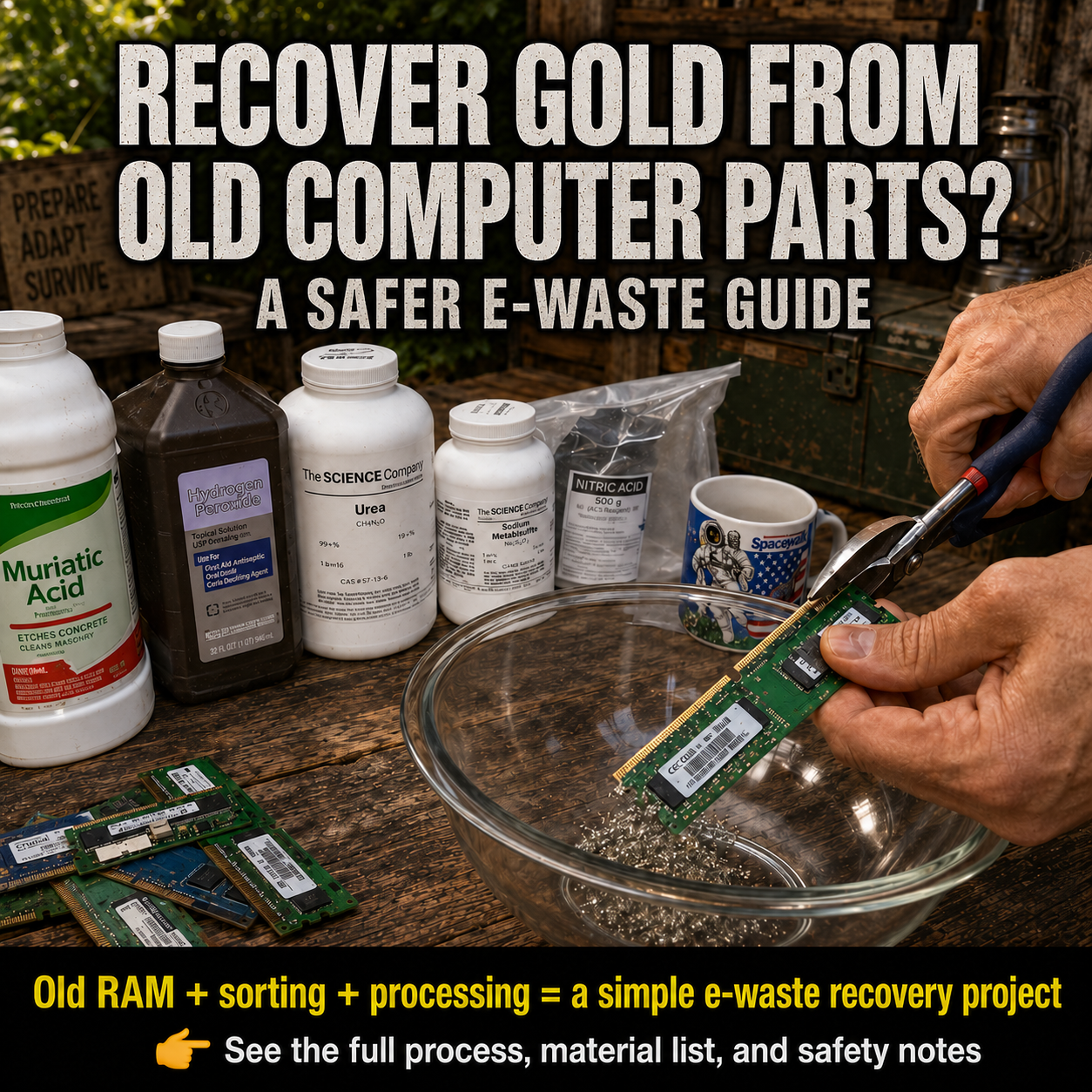
The original tutorial uses several stages involving corrosive acids, oxidizers, heating, filtration, precipitation chemicals, and torch melting. (Practical Survivalist)
One stage combines hydrochloric and nitric acids, creating a solution commonly known as aqua regia. NOAA describes aqua regia as a strong oxidizer and strong acid that is corrosive to tissue and metals. Its fumes irritate the eyes and mucous membranes, and heating may produce corrosive or toxic fumes. It can also generate additional gases through contact with metals, sulfites, and incompatible materials. (m.cameochemicals.noaa.gov)
The source process also uses sodium metabisulfite in an acidic refining solution. Acidic reactions involving sulfites can release sulfur dioxide, a pungent respiratory irritant that can cause coughing, choking, and bronchoconstriction. (CAMEO Chemicals)
The risks are not limited to fumes.
A home refining attempt may create:
- Severe chemical burns
- Eye injuries
- Toxic-gas exposure
- Contaminated tools and work surfaces
- Acidic liquid containing dissolved heavy metals
- Polluted soil or wastewater
- Fire risks during heating or melting
- Unidentified metal residue that still requires professional assaying
EPA advises never mixing leftover hazardous household chemicals and never pouring corrosive or toxic waste down drains, onto the ground, or into storm sewers. Local hazardous-waste programs should be contacted for disposal instructions. (US EPA)
A dust mask, open window, kitchen fan, backyard table, or ordinary pair of gloves does not turn industrial metal refining into a safe household project.
Is There Really Gold Inside a Computer?
Yes, but it is distributed in very small amounts.
Gold is useful in electronics because it conducts electricity and resists corrosion. Thin gold coatings may appear on:
- Memory-module edge contacts
- Expansion-card contacts
- Processor pins or pads
- Connector pins
- High-quality sockets
- Telecommunications boards
- Certain older ceramic processors
Electronics also contain economically important copper, aluminum, steel, silver, palladium, plastics, and glass. EPA notes that a metric ton of circuit boards may contain a much higher concentration of gold than a metric ton of mined ore—but that comparison describes concentrated industrial-scale electronic scrap, not the amount obtainable from one household computer. (US EPA)
EPA also estimates that recycling one million cell phones can recover approximately 75 pounds of gold, along with much larger quantities of copper and silver. The scale of that example illustrates the central issue: valuable material exists, but meaningful recovery usually requires enormous quantities of devices and professional processing. (US EPA)
The Best Order of Value Recovery
Before dismantling anything, follow this order:
1. Reuse the complete computer
A functioning computer is usually worth more as a computer than as mixed scrap.
It may be useful for:
- Basic internet access
- Offline document storage
- Security-camera monitoring
- Amateur radio software
- Home automation
- Children’s education
- A workshop computer
- Spare parts for another machine
EPA recommends considering hardware or software upgrades before replacing a usable computer. (US EPA)
2. Sell working components
Individual parts may have resale value, including:
- Processors
- Memory modules
- Graphics cards
- Motherboards
- Power adapters
- Wi-Fi cards
- Working hard drives and solid-state drives
- Vintage sound or expansion cards
- Server components
- Laptop screens
- Cooling fans
Test the part when practical and describe its condition honestly.
3. Donate usable equipment
Schools, community organizations, repair groups, and refurbishers may accept working or repairable electronics.
Delete personal information before donating any device. EPA also recommends removing batteries because they may require separate recycling. (US EPA)
4. Sell sorted electronic scrap
Specialty buyers may pay according to category, grade, and weight.
5. Recycle the unusable remainder
Use an electronics recycler that safely manages hazardous components and downstream materials.
This value hierarchy is generally more efficient than destroying reusable equipment to chase microscopic gold coatings.
Computer Parts Worth Sorting
Different recyclers use different grading systems. Keep the categories separate and ask the intended buyer how it classifies material before cutting, stripping, or removing components.
Processors
Processors may be divided into categories such as:
- Older ceramic processors
- Plastic processors with pins
- Pinless processors
- Server processors
- Modern integrated heat-spreader processors
Some vintage processors are collectible and may be worth more intact than as scrap.
Record the manufacturer and model before placing a processor in a bulk container.
Memory modules
RAM sticks commonly have gold-colored edge contacts.
Keep them intact unless the buyer specifically requests separated contacts. Cutting them produces fiberglass and mixed-metal debris, removes potentially identifiable part numbers, and may reduce their resale or graded scrap value.
Motherboards
Desktop, laptop, server, telecommunications, and industrial-control boards may receive different grades.
Remove loose batteries before storage, but avoid stripping every small component unless your buyer’s grading rules reward that work.
Expansion cards
These include:
- Graphics cards
- Network cards
- Sound cards
- Controller cards
- Modems
- Industrial interface cards
Check whether a card is collectible or reusable before treating it as scrap.
Connectors and gold-pin components
Some specialty buyers accept:
- Gold-pin connectors
- Processor sockets
- Backplane connectors
- Telecommunications connectors
- Gold-plated relays
Do not burn plastic away from metal contacts.
Copper-bearing material
Separate:
- Insulated copper wire
- Power cables
- Transformer windings
- Copper heat pipes
- Clean copper bus bars
Do not burn insulation from wire. Sell insulated wire in its accepted category or use an appropriate mechanical wire stripper.
Aluminum
Heat sinks, brackets, frames, and some cases contain aluminum.
Remove attached steel pieces when doing so is simple and safe.
Steel
Computer towers, brackets, screws, drive cases, and internal frames may be accepted as steel scrap.
Steel usually has less value per pound than circuit boards or copper, but separating it keeps the higher-grade electronic material cleaner.
Parts That Require Special Handling
Electronics recycling can expose workers to electrical hazards and components containing lead, mercury, PCBs, asbestos, refrigerants, and other hazardous substances. OSHA recommends recognizing the specific hazards associated with each electronic component rather than treating all scrap as ordinary metal. (OSHA)
Lithium-ion batteries
Remove detachable batteries carefully.
Do not bend, crush, puncture, short-circuit, or place them in a bucket with metal parts. EPA states that lithium-ion batteries and devices containing them should not be placed in household garbage or ordinary recycling bins. (US EPA)
Isolate the terminals with nonconductive tape when required by the receiving program.
A battery that is swollen, hot, leaking, hissing, smoking, or physically damaged should not be handled like an ordinary used battery. Move away from it, keep people clear, and contact local fire or hazardous-waste authorities for instructions.
Power supplies
A disconnected power supply may contain capacitors capable of retaining electrical energy.
Do not open a power supply merely to recover small pieces of copper or aluminum unless you are trained to service that equipment.
Recycle it intact.
CRT monitors
Cathode-ray-tube monitors are heavy, contain leaded glass, and can present implosion and high-voltage hazards.
Do not smash, cut, drill, or dismantle a CRT.
Send it to a program equipped to handle CRT equipment.
Flat-panel displays
Older displays may contain mercury lamps, fragile glass, sharp metal, and specialized electronic components.
Keep the screen intact and use a qualified recycler.
Circuit boards
Do not sand, grind, or pulverize circuit boards.
Cutting or grinding produces mixed dust from fiberglass, solder, coatings, metals, and plastic. Keeping the boards intact is cleaner and usually makes grading easier.
Hard drives and storage devices
Protect personal information before resale or recycling.
Options include:
- Secure software erasure
- Cryptographic erasure where supported
- Manufacturer reset procedures
- Professional data-destruction services
Do not rely only on deleting visible files.
EPA-certified recycling standards include data-security expectations, but you should still confirm what destruction or sanitization service the receiving company provides. (US EPA)
A Safer Step-by-Step E-Waste Sorting Project
Step 1: Confirm ownership
Only dismantle electronics you own or have clear permission to recycle.
Do not remove equipment from businesses, dumpsters, collection points, construction sites, or government property without authorization.
Step 2: Photograph and identify everything
Before dismantling a device, record:
- Manufacturer
- Model
- Serial number when appropriate
- Processor type
- Memory capacity
- Expansion cards
- Working condition
- Visible damage
Search completed sales or request quotes from refurbishers before destroying potentially valuable vintage equipment.
Step 3: Back up and remove personal data
Copy any files that need to be kept.
Then erase storage media using a suitable method. Remove hard drives, solid-state drives, memory cards, and removable storage before sending equipment away.
Keep data-bearing devices in a separate labeled container.
Step 4: Disconnect all power
Unplug the machine and remove external and internal batteries where they are safely accessible.
Do not work on equipment while it is connected to electricity.
Avoid opening power supplies, monitors, battery packs, or sealed high-voltage components.
Step 5: Prepare a safe workspace
Use:
- A sturdy table
- Good lighting
- Safety glasses
- Cut-resistant work gloves
- Closed shoes
- Small hand tools
- Labeled containers
- A magnetic parts tray
- A scale
- A broom or suitable vacuum for ordinary debris
Keep food and drinks away from the workspace.
Wash your hands after handling electronic scrap, especially before eating or touching your face.
Step 6: Remove reusable components first
Set aside identifiable processors, memory, cards, fans, drives, adapters, and cables.
Do not throw tested and untested components into the same box.
Use separate labels:
- Tested working
- Untested
- Defective
- Scrap only
Step 7: Remove batteries
Place batteries in their own nonmetallic container with protected terminals.
Do not store them beneath heavy circuit boards or tools.
Step 8: Sort the remaining material
Create separate containers for:
- Processors
- Memory
- High-grade boards
- Low-grade boards
- Expansion cards
- Hard drives
- Power supplies
- Copper wire
- Aluminum heat sinks
- Steel
- Batteries
- Displays
- Mixed plastic
Do not place acids, solvents, cleaners, or refining chemicals near the sorting area.
Step 9: Weigh and inventory each category
Record:
- Category
- Weight
- Quantity
- Condition
- Buyer’s quoted grade
- Expected payout
- Shipping cost
- Date
This allows you to compare buyers and determine whether further dismantling is worth your time.
Step 10: Store the material safely
Use sturdy containers that will not collapse.
Keep circuit boards:
- Dry
- Away from children
- Away from food
- Away from direct sunlight
- Away from open flames
- Away from damp soil
- Separate from batteries
Do not accumulate more material than you can responsibly store and recycle.
How to Find a Responsible Recycler
EPA recognizes two accredited electronics-recycling certification systems in the United States:
- Responsible Recycling, commonly called R2
- e-Stewards
Certified facilities are audited against standards covering environmental practices, worker health and safety, downstream material management, and data security. EPA recommends certified electronics recyclers for unwanted devices. (US EPA)
Outside the United States, look for recyclers operating under recognized national regulations and independently audited environmental and worker-safety systems.
Ask a potential recycler:
- Which materials do you accept?
- Are you independently certified?
- Do you reuse functioning equipment?
- How do you handle data-bearing devices?
- Do you accept batteries separately?
- Do you export material?
- How are downstream processors verified?
- Do you provide weight tickets?
- Do you pay by category or combined weight?
- Is there a minimum shipment?
- Are there inspection or refining fees?
A recycler offering the highest advertised price is not automatically the best option.
Selling to a Precious-Metal Refiner
Specialized refiners may accept larger quantities of:
- High-grade circuit boards
- Processor scrap
- Gold-plated connector material
- Telecommunications boards
- Precious-metal-bearing industrial components
Terms may include:
- Minimum lot size
- Assay fee
- Treatment fee
- Metal-recovery percentage
- Shipping requirements
- Settlement delay
- Material ownership documentation
Ask for written terms before shipping anything.
Professional refiners may use mechanical separation, controlled furnaces, hydrometallurgy, air-pollution equipment, chemical-management systems, laboratory assays, and wastewater treatment. EPA highlights professional recycling operations that recover precious metals through controlled industrial processes—not open containers of acid at home. (US EPA)
Should You Cut Off the Gold Fingers?
Usually, leave them attached until you know the buyer’s rules.
Cutting the edge contacts from memory and expansion cards may create several problems:
- The intact card can no longer be tested or resold.
- The remaining board may fall into a lower-value category.
- Cutting produces sharp fragments and dust.
- Thin flakes can be lost.
- The labor may exceed the added payment.
- Some buyers prefer complete boards for automated processing.
Request two quotes:
- Payment for intact cards
- Payment for separated contact material plus the remaining board
Then calculate whether the price difference justifies the labor and lost reuse value.
Do not assume that removing every gold-colored part increases the total return.
Gold-Colored Does Not Always Mean Solid Gold
Many electronic contacts are plated with a microscopic layer of gold over nickel, copper, or another base metal.
Other components may be:
- Gold-colored brass
- Tin alloy
- Nickel alloy
- Copper alloy
- Decorative coating
- A very thin precious-metal flash
Color alone does not establish metal content or purity.
A homemade bead or powder also does not become recognized investment gold merely because it appears yellow. Its composition would need to be tested by a qualified assayer or refiner.
This is one reason electronic scrap is not a practical substitute for cash, recognized bullion, food, water, medicine, or other emergency supplies.
Is E-Waste a Good Preparedness Asset?
Electronic scrap can have recyclable value, but it is a poor emergency currency.
It is:
- Bulky
- Difficult to grade
- Difficult to assay
- Dependent on specialized buyers
- Expensive to ship
- Potentially hazardous
- Vulnerable to market-price changes
- Worth less when contaminated or mixed
As a preparedness resource, old electronics are often more useful for their functioning parts.
Consider saving:
- Compatible RAM
- Replacement fans
- Ethernet cables
- USB cables
- Power adapters
- SATA cables
- Keyboards and mice
- Spare routers
- Working laptops
- Storage drives
- Screws and mounting hardware
- Low-voltage switches and connectors
A working replacement component during an outage or supply shortage may be more valuable than its raw-metal content.
Calculate the Real Return
Before building a large scrap inventory, calculate:
Net return = buyer payment − purchase cost − transportation − shipping − storage − tools − disposal fees − value of your time
Also account for:
- Rejected material
- Lower-than-expected grading
- Damaged reusable parts
- Battery handling
- Data destruction
- Packaging
- Price fluctuations
Do not buy piles of unidentified electronics based solely on the belief that every circuit board contains easily recoverable gold.
Start with material you already own, learn the buyer’s grading system, and test one small shipment.
What Not to Do
Do not:
- Mix hydrochloric acid and nitric acid
- Heat acid mixtures
- Bring reacting chemicals indoors overnight
- Neutralize unknown solutions by guesswork
- Add sulfites to acidic metal solutions
- Melt contaminated residue on a kitchen stove
- Use food containers for chemical processing
- Pour metal-bearing liquid down a drain
- Burn circuit boards or wire
- Smash displays
- Open high-voltage power supplies
- Puncture lithium batteries
- Grind boards into powder
- Bury unwanted electronic scrap
- Store mixed batteries and metal parts together
EPA states that hazardous products should remain in their original labeled containers and should never be mixed because incompatible substances can react, ignite, or explode. (US EPA)
What to Do With Chemicals From an Abandoned Refining Attempt
Do not add anything else to the containers.
Do not attempt to neutralize the liquid using online formulas.
Do not:
- Smell it
- Heat it
- Filter it
- Evaporate it
- Pour it outside
- Put it into household trash
- Transfer it into food or drink bottles
- Mix separate containers together
Keep people and pets away.
Contact the local hazardous-materials authority, fire department, environmental agency, or household hazardous-waste collection program and accurately describe every known chemical and metal placed in the container.
EPA recommends consulting local environmental, health, or solid-waste agencies for hazardous-waste management options. (US EPA)
When a container is leaking, bulging, hot, fuming, or producing a strong irritating odor, move away and contact emergency services. Do not attempt to carry it through the home.
Is Recovering Value From Computer Scrap Worth It?
It can be—when the project focuses on reuse, careful sorting, resale, and professional recycling.
The advantages include:
- Diverting electronics from improper disposal
- Recovering copper, aluminum, gold, and other resources
- Reusing working equipment
- Learning basic computer hardware
- Earning modest income from organized scrap
- Reducing the demand for newly mined material
EPA states that certified recycling can reduce environmental and health impacts while conserving materials and reducing the energy and environmental costs associated with virgin-resource extraction. (US EPA)
The limitations are equally important:
- Precious metals exist in small quantities per device.
- Buyers grade materials differently.
- Shipping can consume the profit.
- Some components contain hazardous substances.
- Data must be protected.
- Batteries require separate management.
- Chemical refining is not suitable for an ordinary home.
- Accumulating large piles can create fire, storage, and contamination problems.
The most practical plan is simple:
- Reuse what still works.
- Sell identifiable valuable parts.
- Sort the remaining material.
- Protect batteries and data-bearing devices.
- Use a qualified recycler or refiner.
- Keep corrosive refining chemistry out of the home.
Final Safety Note
Old computer parts contain recoverable materials, but home acid refining can create corrosive fumes, toxic gases, severe burns, contaminated waste, and environmental damage.
Do not reproduce online methods involving hydrochloric acid, nitric acid, hydrogen peroxide, aqua regia, metabisulfite, heated chemical solutions, or torch melting of unidentified residues.
Keep boards intact, remove batteries safely, preserve reusable components, and use a responsible electronics recycler or professional precious-metal refiner.